
AAC Cutter - AAC / M4A / M4R All-in-One
Trim AAC, M4A, and M4R audio on a single page. Great for ringtones, dialogue clips, and shorter recordings with a fast, simple workflow.

Why teams choose it
AAC Cutter for Fast Ringtone Editing
AAC Cutter is built for ringtone editing and quick everyday audio clipping.
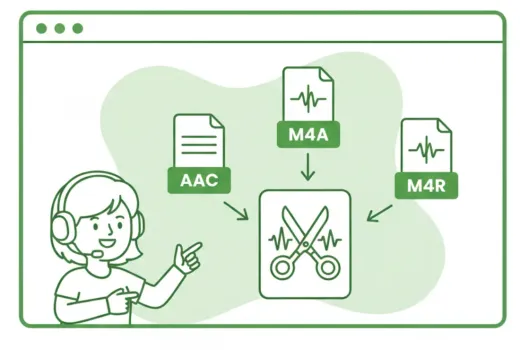
AAC Cutter Works Across Popular Formats
Use one editor to trim AAC, M4A, and M4R files without switching tools. It is useful for ringtone creation, voice-note cleanup, music highlights, and short audio extracts.

Waveform-Based Fast Selection
Set your start and end points on a visual waveform, preview the clip, and fine-tune the timing easily. It is especially convenient when preparing short ringtone segments or notification sounds.

Lightweight Editing for Mobile-Friendly Tasks
Open the page and start cutting right away on desktop or mobile. It fits short-form audio jobs well, including voice memos, ringtone snippets, and compact music edits.
Fast content cleanup
Remove pauses, bad takes, and empty intros before publishing a podcast, lesson, or voice memo.
Ready for ringtone workflows
Cut the exact chorus or hook you want, then export in the format that fits your phone.
Simple enough for one-off tasks
No editor learning curve. Open a file, set in and out points, export, and move on.
Three-step workflow
How to Use AAC Cutter
Cut three common formats in three simple steps.
Step 1
Upload Your Audio
Choose an AAC, M4A, or M4R file from your device, or drag and drop it into the page to begin.
Step 2
Select the Part to Keep
Move the timeline handles to choose your clip, preview it, and adjust the selection until it sounds right.
Step 3
Export and Download
Save the selected clip and download it right away for ringtones, short audio edits, or cleaned-up recordings.
More Tools
Continue with the next audio task
Extract, merge, or keep trimming with the right tool.
MP3 Cutter
Trim MP3 files with fast in and out point selection for music clips, ringtones, and lightweight edits.
Extract Audio
Pull clean audio from video files for lessons, interviews, recordings, and content repurposing.
Crop Music
Focused on song and soundtrack edits such as chorus cuts, hook extraction, and short-form music snippets.
Audio Compressor
Compress MP3, WAV, M4A, AAC, FLAC, OGG, and other audio files into lighter formats with quality presets.
Audio Speed Changer
Speed up or slow down audio online, preview the timing, and export the new version from one editor.
Audio Splitter
Split songs into stems such as vocals, drums, bass, and other parts, then continue editing the separated tracks in one workspace.
Audio Merge
Join multiple audio tracks into one ordered file for chapters, spoken sections, and batch cleanup workflows.
User feedback
Why Users Choose AAC Cutter
Feedback from ringtone makers, creators, and everyday audio editing tasks.
4.9/5
Editors, creators, students, and podcasters consistently rate the workflow as fast and clear.
Zero setup
No account wall, no software install, no learning curve.
Quick export
Upload, trim, preview, and save in one short workflow.

Luna Chen
Content OperationsI often cut voice clips into short prompt sounds, and having M4A and M4R on the same page saves me from bouncing between different tools.

Victor Lin
iPhone UserMaking ringtones is easier when the format workflow is consistent. I trim AAC song sections here and finish the job much faster.

Mia Zhang
Podcast Editing AssistantSome of our source files are M4A and others are AAC. This all-in-one page is useful for quickly cutting preview clips and short segments.

Aaron Wu
CreatorI just need a lightweight tool to trim songs and voice audio quickly. This page does the job without adding complexity, even on my phone.
Start Cutting with AAC Cutter
One page for three common formats. Free, direct, and no installation needed.
Upload a file, jump into the editor, and export the exact section you need.
Support
AAC Cutter FAQ
Common questions about AAC Cutter and its support for common ringtone formats.
Common concerns covered
Pricing, supported formats, safety, mobile compatibility, and export behavior are all addressed here.
Yes. You can upload and trim AAC, M4A, and M4R audio files on the same page.
Yes. It works especially well for short ringtone clips on iPhone and other mobile devices.
No. The cutter works directly in your browser on desktop and mobile.
Yes. You can adjust the selected range and preview it before saving the final result.
No. Files are used only for processing and are removed automatically afterward.
No. You can also use it for podcast clips, voice memos, short music cuts, and notification sounds.