
Trim Your Audio Files Online with AudioCut
Ever hit “play” on a recording and thought, “Wait… did I really record that?” Maybe the first few seconds are just silence, or there’s a cough in the middle, or you mumbled your intro. It happens. Could be a podcast, a lecture, or just a voice memo from your phone, and now you’re staring at the screen thinking, “How do I trim this without spending hours on complicated software?”
That’s why Audio Cut exists. It’s a simple online tool for trimming audio. Upload your MP3, move the handles to set the start and end, pick a format, and download. That’s it. No installs, no accounts, no confusing menus. You can export in multiple audio formats, so your trimmed clip works wherever you need it.
Why Audio Cut Makes Audio Editing Actually Fun
Some audio editors are either way too complicated or… honestly, so stripped-down that you feel like you’ve gone back in time to 2003. Audio Cut avoids both extremes. It’s fast, simple, and surprisingly flexible. You can focus on what matters: trimming exactly the part you want.
Simple Left and Right Cutting
Picture this: you just recorded a podcast. The first 10 seconds? Just you fiddling with the mic, maybe muttering “testing… testing… one, two.” The last few seconds? Dead air while you shuffle papers or sigh. With Audio Cut, you drag the left handle to where the real content starts, the right handle to where it ends. Done.
Even if you’ve never edited audio before, you’ll get it in seconds. Zoom in, and you can catch tiny details—a cough, a little “uh,” maybe even the squeak of your chair. Honestly, there’s something oddly satisfying about seeing the waveform and actually controlling what stays and what goes.
Step-by-Step Guide to Trim Your Audio
Even if audio editing isn’t your thing, Audio Cut is intuitive enough that you won’t get lost.
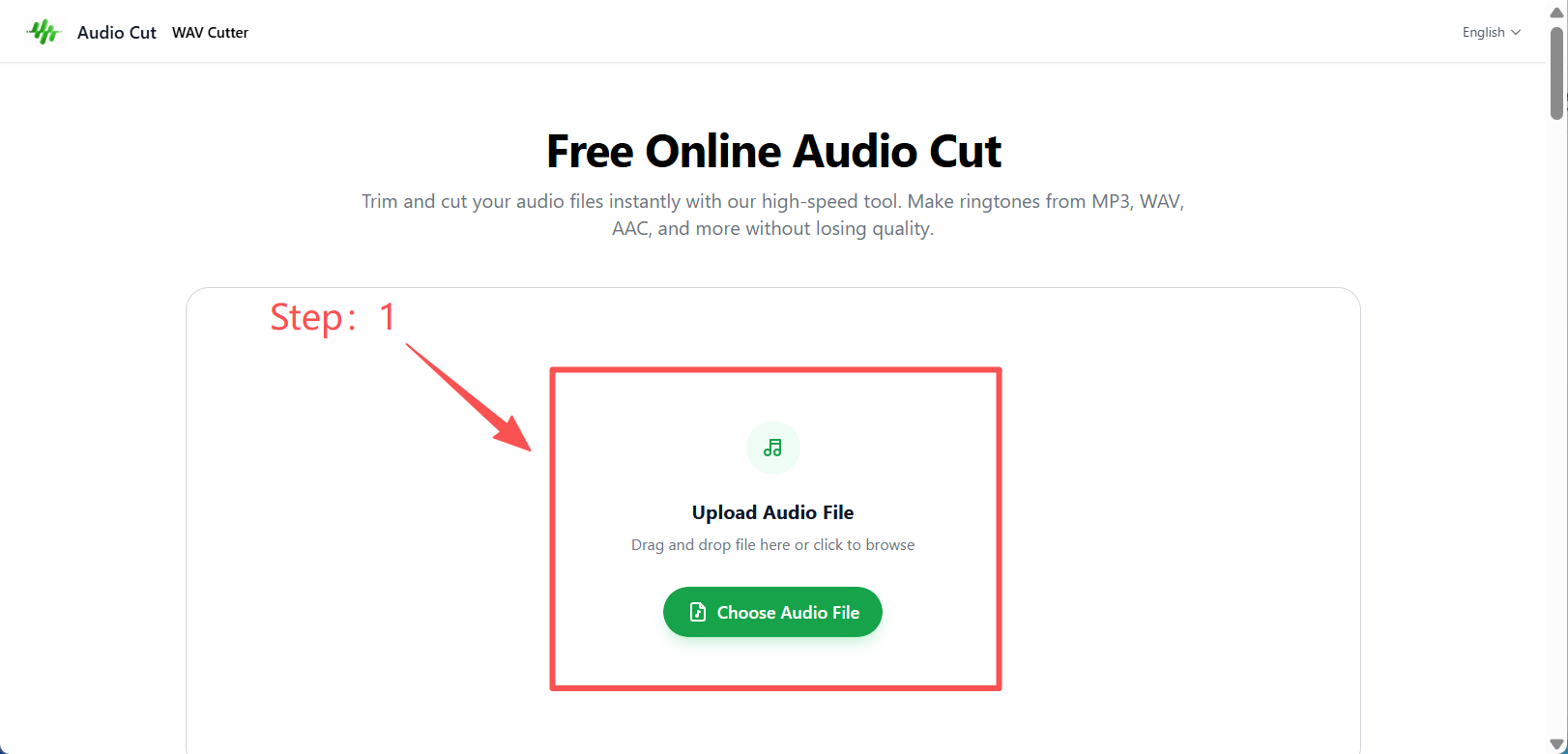
Step 1: Upload Your File
Drag your MP3 into the browser. Within seconds, a waveform pops up. Peaks and valleys stretch across the screen like a tiny little map of your recording. Suddenly, trimming feels tangible—you can actually see where to cut.
Step 2: Adjust Left and Right Handles
Remove silence from audio. Just Slide the left handle to where your actual content begins, the right handle to where it ends.
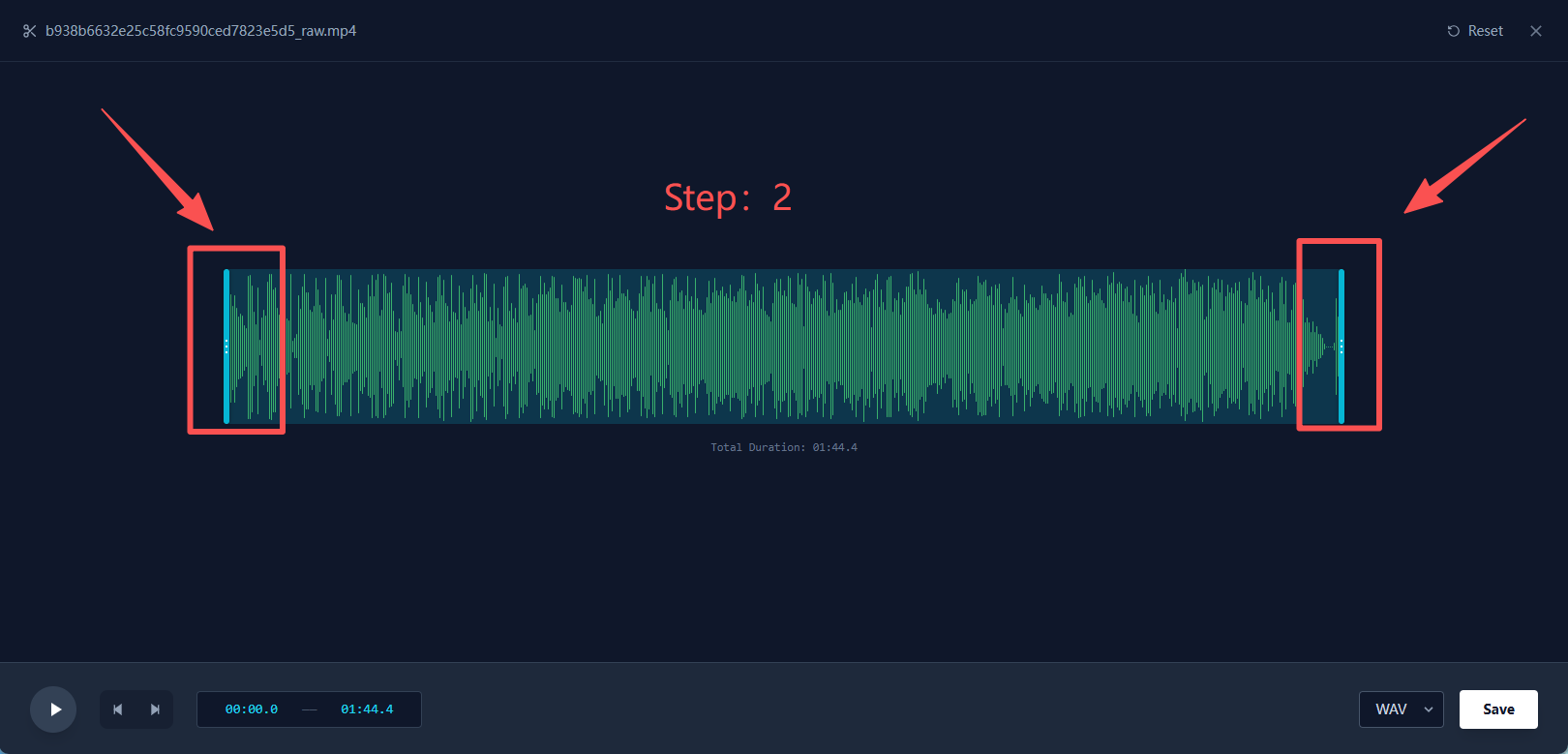
Imagine you recorded a lecture: the first few seconds are just shuffling papers, and the last part is silence while everyone packs up. Move those handles, and you’ve instantly tightened the clip. Zoom in if you want to snip out a cough or a chair squeak. Tiny details, big difference.
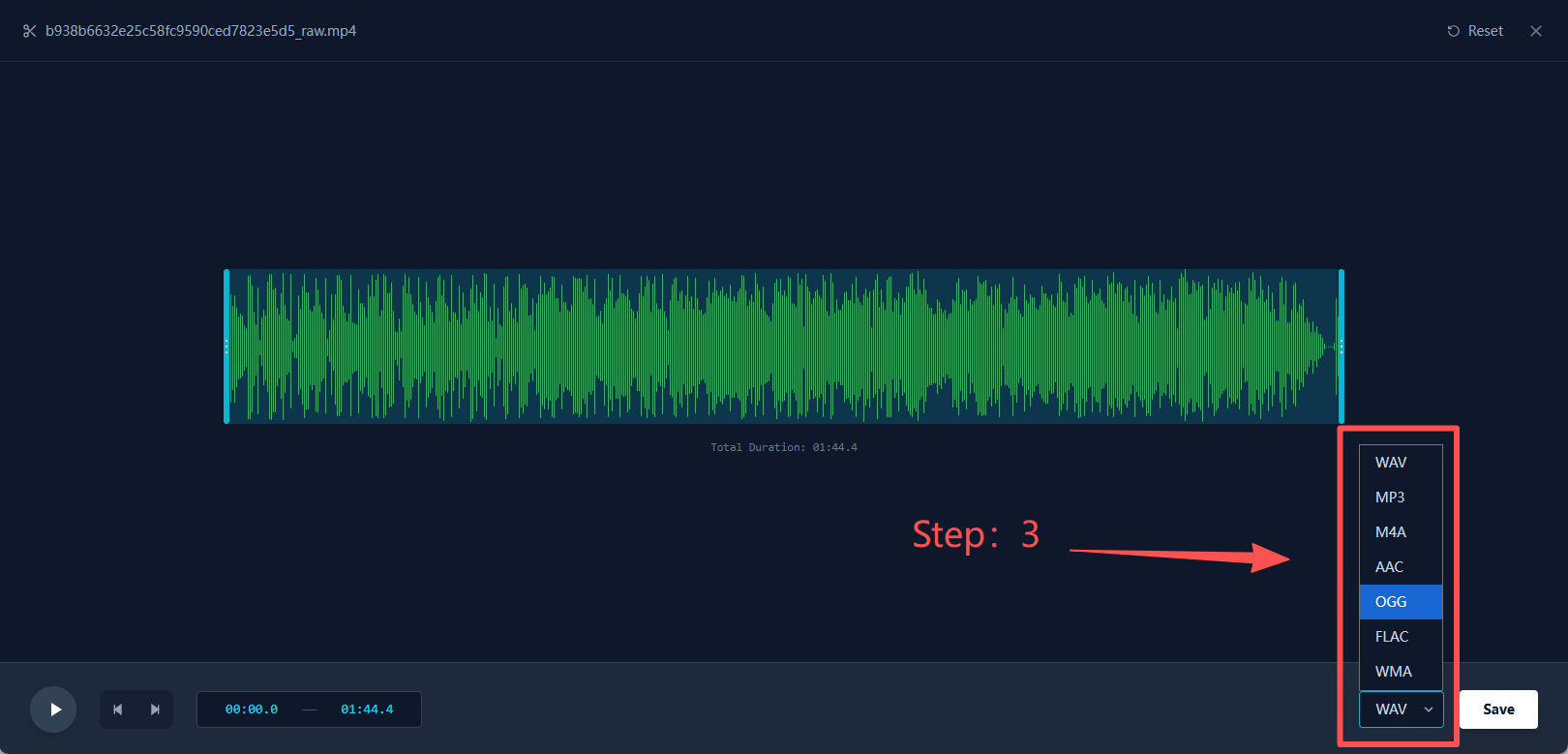
Step 3: Pick Export Format
Audio Cut lets you export your clip in multiple audio formats. High-quality for projects? Small file for sharing? It’s flexible. Pick what works for you.
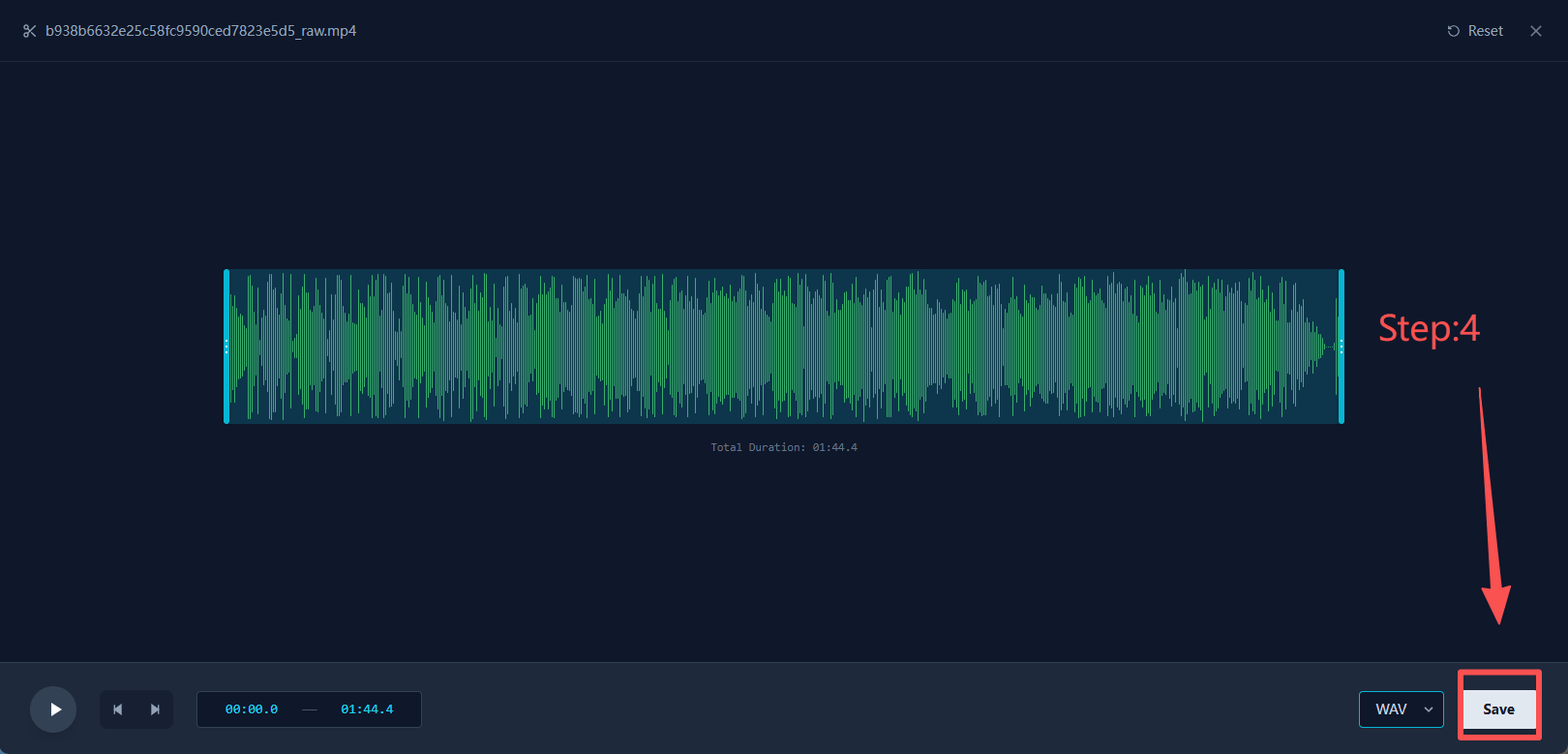
Step 4: Download Your Trimmed File
Click download, and just like that, your clean, polished audio is ready. Play it back and… yeah, it’s nice when things just work.
Who Actually Uses Audio Cut?
You might think it’s only for podcasters. Not at all. Anyone who touches audio—even occasionally—can find a use for it:
- Podcasters: cut out ums, ahs, awkward pauses.
- Musicians: extract a favorite snippet or create a ringtone.
- Students & professionals: trim lectures or meeting recordings.
- Social media creators: make short, punchy audio clips.
- Just for fun: voice memos, silly recordings, or quick audio jokes.
Even small personal projects feel more polished after a few seconds in Audio Cut.
Tips for the Best Results
- Pick the right format: high-quality for projects, smaller files for sharing.
- Zoom in: little details matter—a stray cough or pause can change the vibe.
- Preview first: sometimes what seems perfect isn’t, so give it a quick listen.
- Keep the original: just in case you want a different cut later.
Why Audio Cut Stands Out
Here’s the thing:
- Fast: works entirely in your browser.
- Flexible: export in multiple audio formats.
- Easy: beginners get it immediately.
- No distractions: no signups, no pop-ups, no clutter.
If you just want clean audio quickly, this is your tool.
FAQ
Q: Can I trim MP3 files? A: Yep. MP3 is fully supported.
Q: Do I need an account? A: Nope. Upload, trim, download. Done.
Q: Which export format should I pick? A: Depends on your goal—high-quality for projects, smaller for sharing. AudioCut makes it flexible.
Q: Can I trim really short sections? A: Absolutely. The handles are precise down to milliseconds—perfect for tiny edits.
Conclusion
Trimming audio doesn’t have to be stressful—or complicated. With Audio Cut, it’s fast, simple, and yes… a little satisfying. Upload your file, drag the handles, pick a format, and download. Done.
Whether it’s a podcast, a music snippet, a lecture recording, or a short social media clip, Audio Cut makes it effortless. No installs, no accounts, no stress—just clean, precise audio in a few clicks.
Try it. You’ll probably wonder why you didn’t start using it sooner.