
How to Cut Audio Online for Free (Beginner-Friendly Guide 2026)
Cutting audio shouldn’t require complicated software, expensive subscriptions, or technical skills. Yet many people still download heavy editing programs just to shorten a single audio file.
Whether you’re trimming a podcast intro, cutting a song for TikTok, removing silence from a voice memo, or preparing an audio clip for work, you probably just need something simple and fast.
That’s where a free online audio cut tool becomes incredibly useful.
Instead of installing bulky desktop software, you can cut audio online directly in your browser — no download, no signup, no learning curve. In this guide, we’ll explore how online audio cutting works, why it’s better for most users, and how you can trim any audio file in seconds.
Why Cutting Audio Is Harder Than It Should Be
At first glance, cutting audio sounds easy. But traditional methods often make it more complicated than necessary.
Here are common frustrations people face:
- Installing large audio editing software
- Complex interfaces designed for professionals
- Long export times
- Quality loss after editing
- Incompatibility with mobile devices
- Concerns about file privacy
For example:
- A podcaster wants to remove a 15-second mistake.
- A student needs to shorten a recorded lecture.
- A content creator wants to cut audio for TikTok.
- A professional needs to trim an interview clip quickly.
In all these situations, using advanced editing software feels excessive.
Most users don’t need multi-track editing or advanced effects. They simply need to trim an audio file quickly and safely.
That’s why a free online audio cut solution offers real-world value: simplicity, speed, and accessibility.
Key Features of a Free Online Audio Cut Tool
A well-designed online audio cutter focuses on what matters most: precision trimming without complexity.
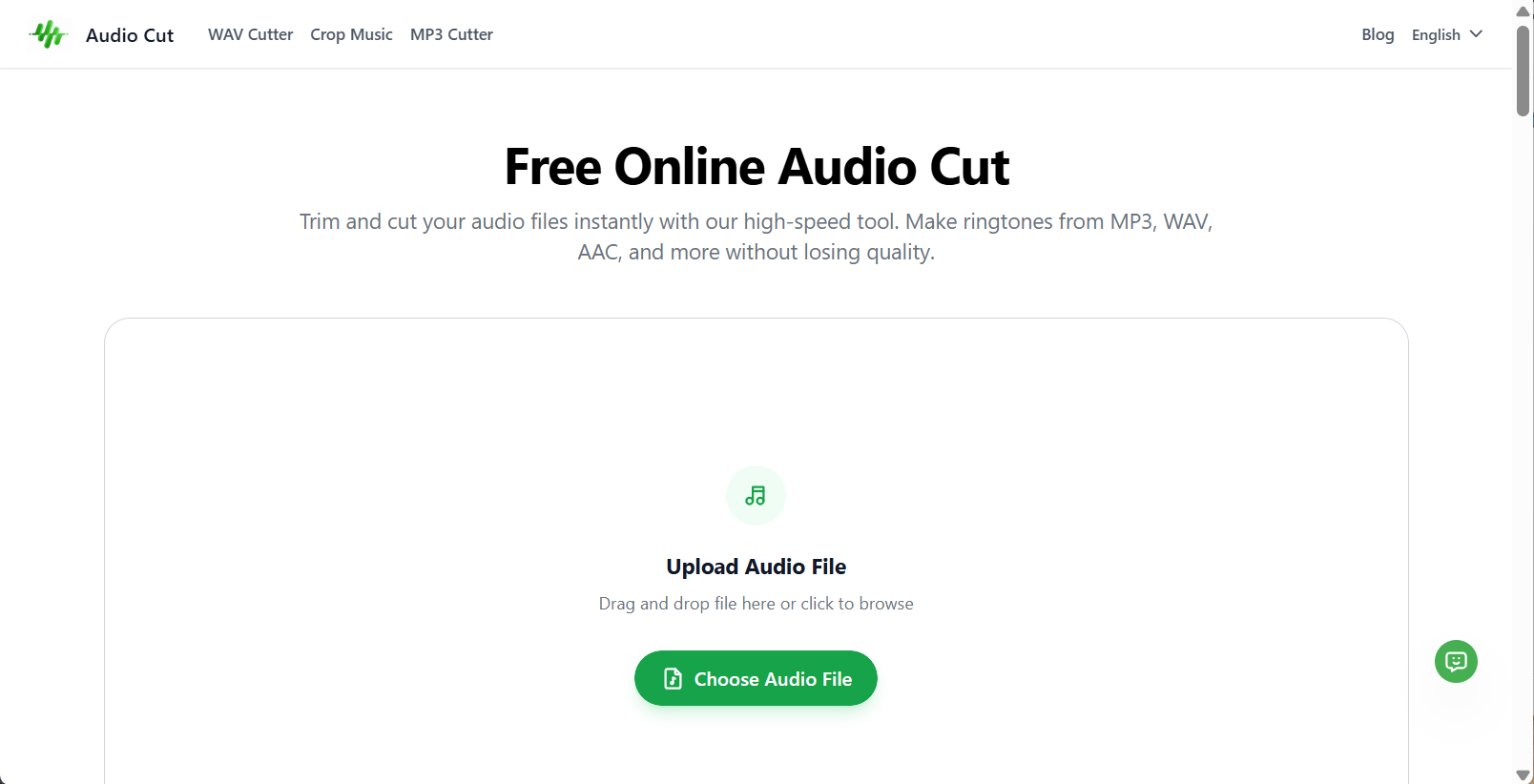
Here are the core features you should expect:
1. Support for Multiple Formats
A good tool should support popular audio formats, including:
- MP3
- WAV
- M4A
- AAC
- FLAC
This allows you to cut MP3 online, trim WAV files, or shorten M4A recordings without converting them first.
2. Drag-and-Trim Interface
Instead of typing timestamps manually, you can:
- Upload your audio file
- Drag the sliders to select the part you want
- Preview instantly
This visual approach makes trimming intuitive, even for beginners.
3. No Installation Required
Everything works directly in your browser. That means:
- No downloads
- No software updates
- No system compatibility issues
You can cut audio online from Windows, Mac, Chromebook, or even mobile devices.
4. Fast Processing
Online audio cutting is typically lightweight. Since you're only trimming (not applying heavy effects), processing is quick and efficient.
5. Cross-Device Compatibility
Modern browser-based tools work on:
- Desktop computers
- Tablets
- iPhones
- Android devices
This flexibility makes it easy to trim audio anytime, anywhere.

What Makes Online Audio Cut Different from Traditional Editors?
Traditional audio editors like professional DAWs are powerful—but they’re often unnecessary for simple trimming.
Here’s a comparison:
| Online Audio Cut | Traditional Audio Editor |
|---|---|
| No download | Large installation |
| Beginner-friendly | Steep learning curve |
| Quick trimming | Multi-step editing process |
| Lightweight | Resource-intensive |
| Instant access | Requires setup time |
Online tools focus on one job: trimming efficiently.
If you only need to shorten an audio file or remove unwanted sections, a free online audio cut tool is usually the smarter option.
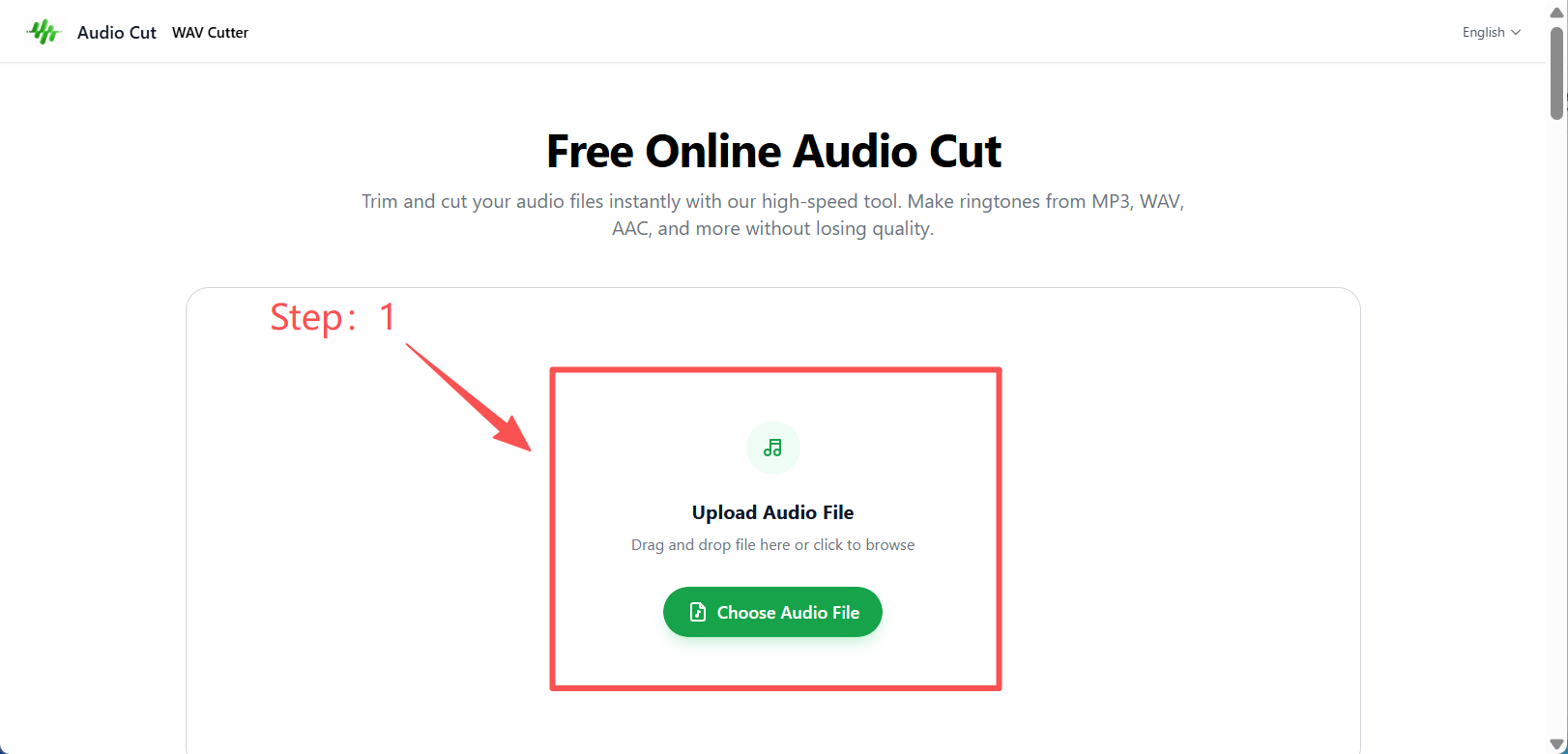
How to Cut Audio Online in 3 Easy Steps
Cutting audio online is straightforward. Here’s how it typically works:
Step 1: Upload Your Audio File
Select the file you want to edit from your device. Most tools support MP3, WAV, M4A, and other formats.
The file loads directly in your browser.
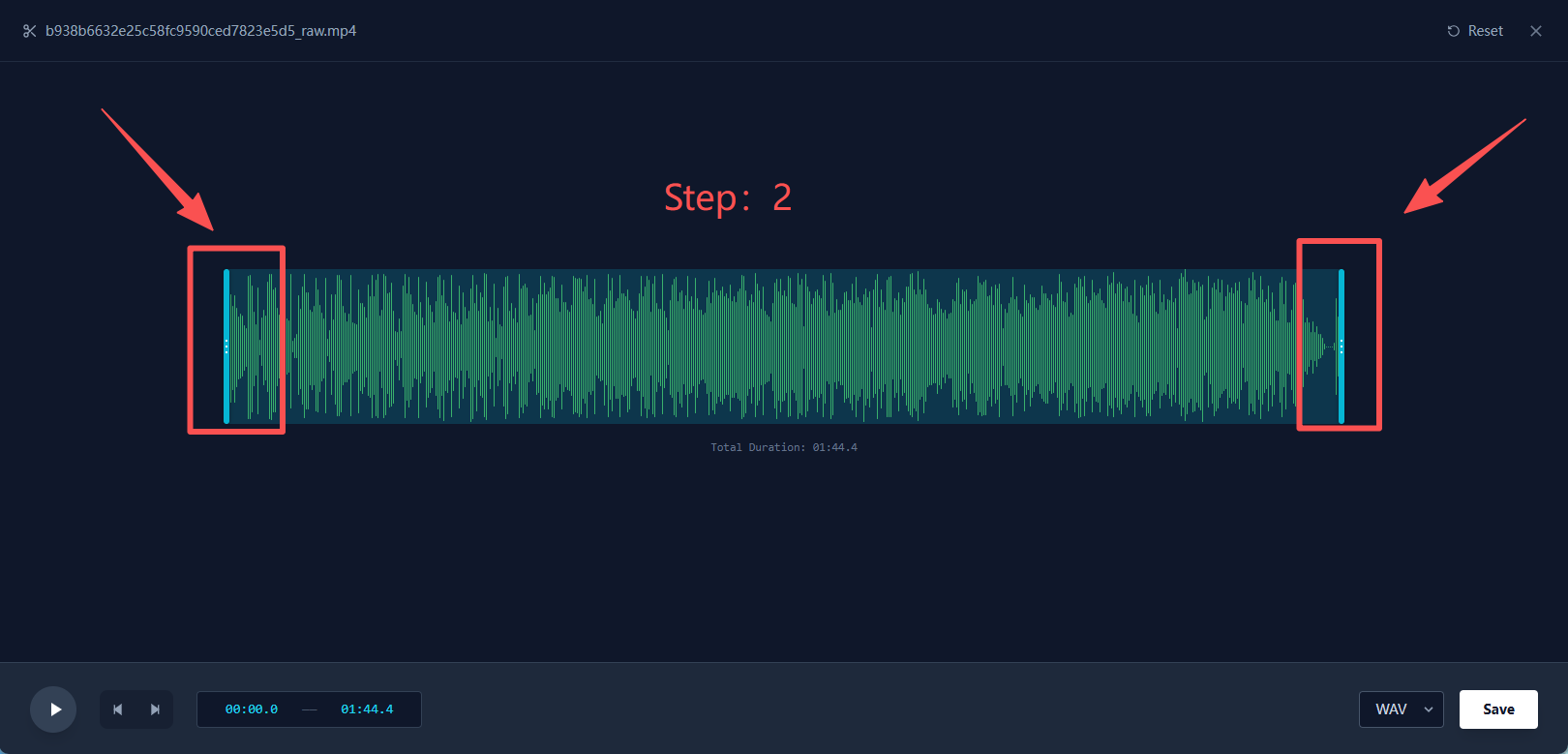
Step 2: Select the Section You Want to Keep
Use the trimming sliders or waveform view to:
- Adjust the starting point
- Adjust the ending point
- Preview the selected segment
This ensures precise trimming without guesswork.
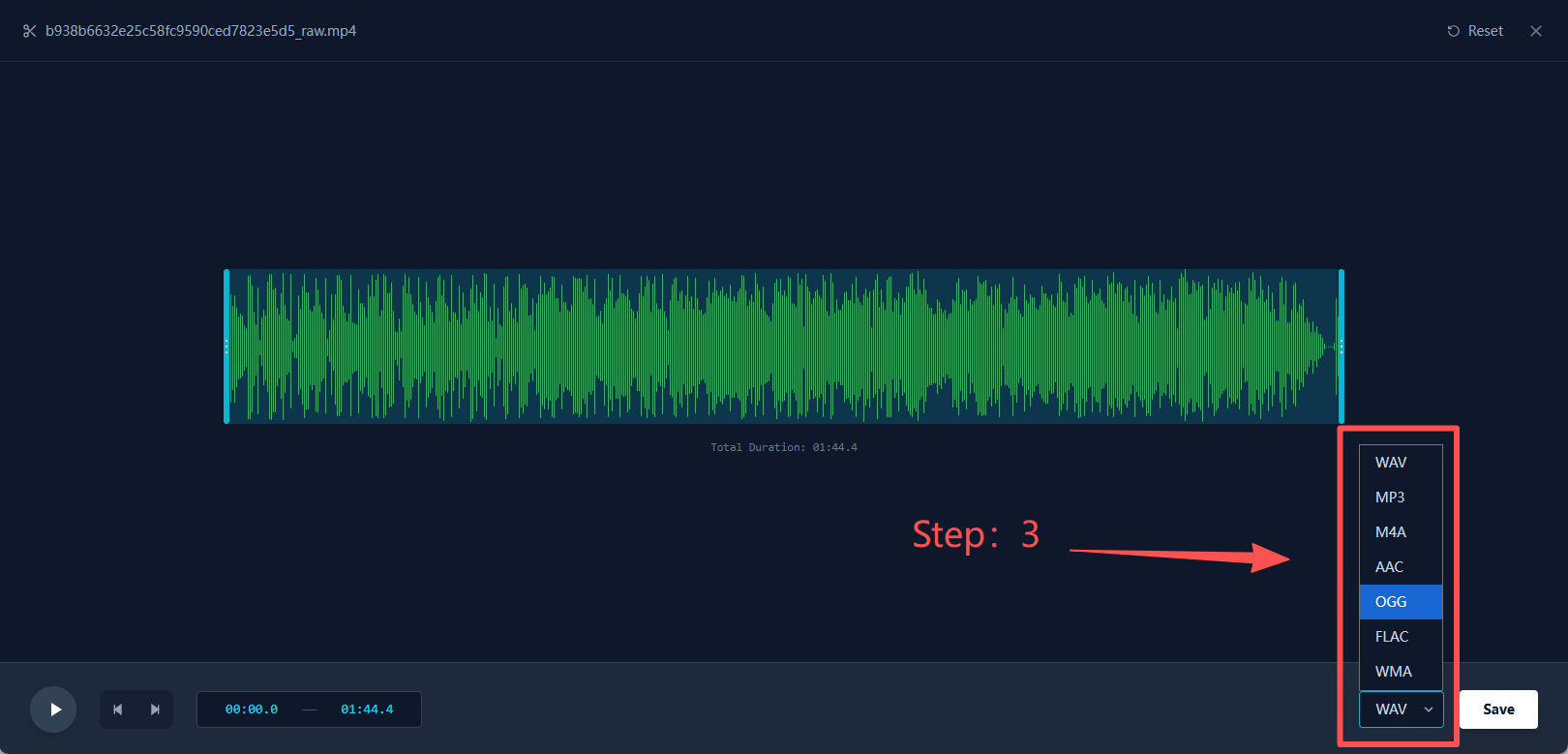
Step 3: Export the Final Audio
Once you’re satisfied, click export.
Your trimmed audio file will download in seconds — ready to upload, share, or use immediately.
Bonus Tips for Better Audio Trimming
To get the best results:
- Zoom into the waveform for precise cuts
- Remove silence at the beginning or end
- Keep the original bitrate when possible
- Double-check preview before exporting
- Rename files clearly for social media use
These small steps improve professionalism and save time later.
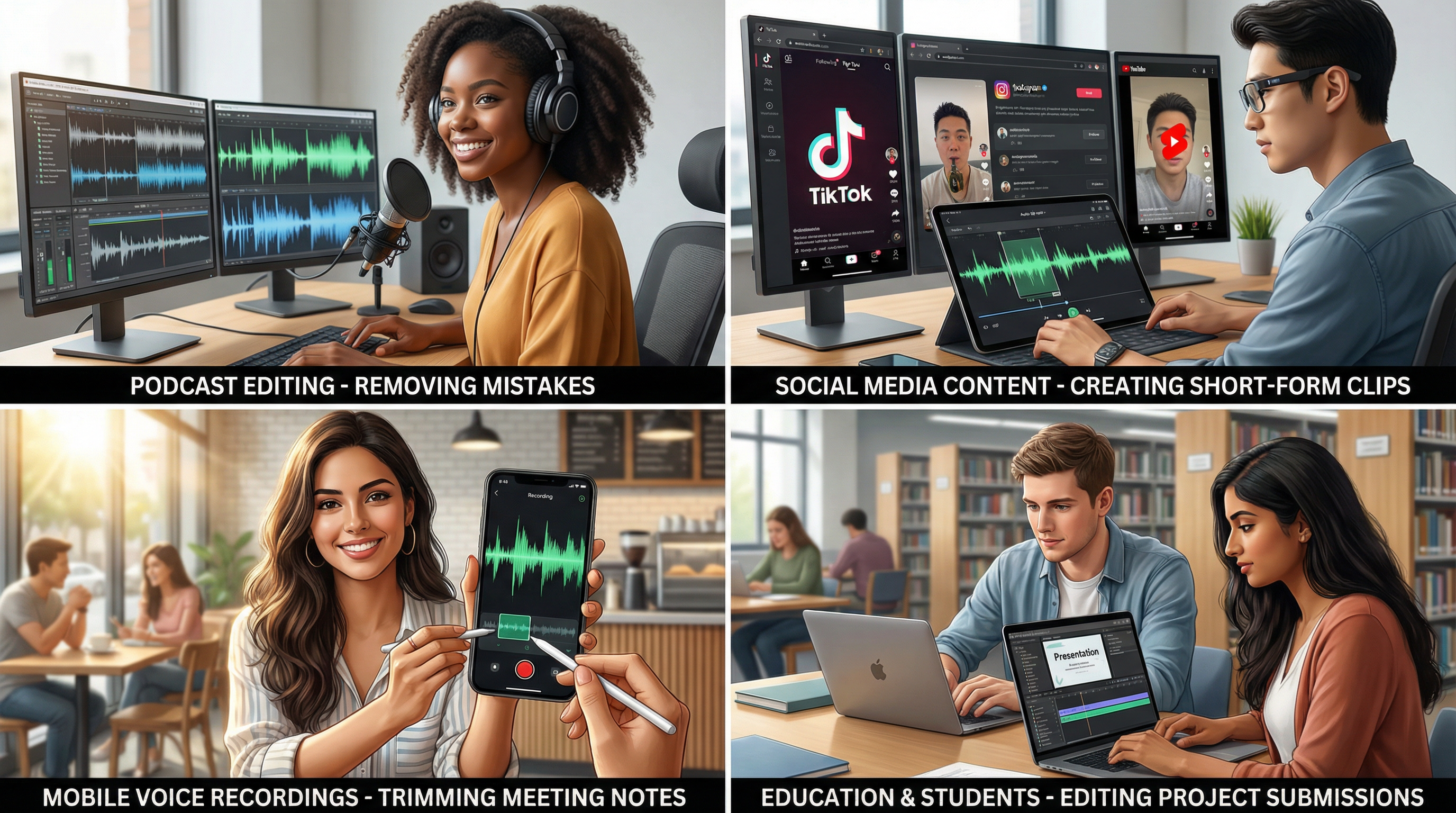
Real-World Applications of Free Online Audio Cut
Online audio cutting isn’t limited to one type of user. It’s widely useful across industries and everyday scenarios.
🎙 Podcast Editing
Podcasters often need to:
- Remove mistakes
- Shorten long intros
- Cut filler words
- Prepare highlight clips
A free online audio cut tool simplifies this process.
🎵 Social Media Content
Creators frequently:
- Cut audio for TikTok
- Trim clips for Instagram Reels
- Prepare sound bites for YouTube Shorts
Short-form content demands precise timing, and quick trimming helps maintain engagement.
📱 Mobile Voice Recordings
Many people record:
- Meeting notes
- Personal reminders
- Interview clips
Trimming unnecessary parts keeps files concise and easier to share.
🎓 Education & Students
Students may need to:
- Shorten presentation recordings
- Edit language practice clips
- Trim project submissions
Online tools make this possible without advanced editing skills.
💼 Professional Use
Businesses use audio cutting for:
- Client previews
- Training materials
- Marketing clips
- Internal communications
Fast trimming improves workflow efficiency.
Can I cut MP3 online for free?
Yes. use audio cut tools support MP3 trimming at no cost.
Will trimming reduce audio quality?
Your original audio quality is fully preserved throughout the editing and export process, with no unnecessary compression or quality loss.
Is online audio cutting safe?
Look for tools that:
- Automatically delete files
- Don’t require account registration
- Use secure processing methods
These features protect your data.
Does it work on iPhone or Android?
Yes. Since the tool runs in your browser, it works across mobile devices.
Is there a file size limit?
File size limits depend on the specific platform, but many tools support reasonably large files suitable for podcasts and recordings.
Why Free Online Audio Cut Is the Smart Choice
For most users, audio trimming should be simple.
You don’t need advanced effects or studio-level tools to:
- Shorten a file
- Remove silence
- Cut a section
- Prepare audio for social media
A free online audio cut solution offers:
- Instant access
- No downloads
- Beginner-friendly interface
- Cross-device support
- Fast results
It removes unnecessary complexity and focuses on what matters: efficiency.
Ready to Trim Your Audio?
If you’re looking for a simple way to cut audio online, there’s no reason to install complicated software.
Upload your file, trim what you need, and download the result in seconds.
No signup. No hassle. Just clean, fast audio trimming.
Try a free online audio cut tool today and simplify your workflow.